
Download Xilisoft DVD Ripper Ultimate 7 – DVD ripper, video converter, movie converter, rip DVD to MP4, convert DVD to video
Overview
Xilisoft DVD Ripper Ultimate 7 is a specialized video conversion tool designed for users seeking to extract and convert content from DVDs into widely compatible digital formats. Its primary purpose is to enable users to preserve their physical media collections by transforming DVDs into digital files suitable for playback on computers, smartphones, tablets, and other portable devices. This software addresses the growing need for accessible, device-agnostic video content, particularly for individuals who prefer digital libraries over physical discs.
Target users include home media enthusiasts, digital archivists, and individuals who want to watch their favorite movies and TV series on the go. The app is especially useful for those with older DVD collections who wish to migrate content to modern devices without relying on outdated hardware. While the developer, Xilisoft, is known for multimedia software, specific background details were not provided in the input.
Real-world use cases include converting a family film collection for backup, preparing content for travel, or adapting video formats for compatibility with devices like iPhones, iPads, Android phones, or portable media players. In the broader app ecosystem, Xilisoft DVD Ripper Ultimate 7 occupies a niche role as a dedicated utility for video format conversion, filling a gap for users who require precise control over output settings and editing capabilities.
Key Features & Functionality
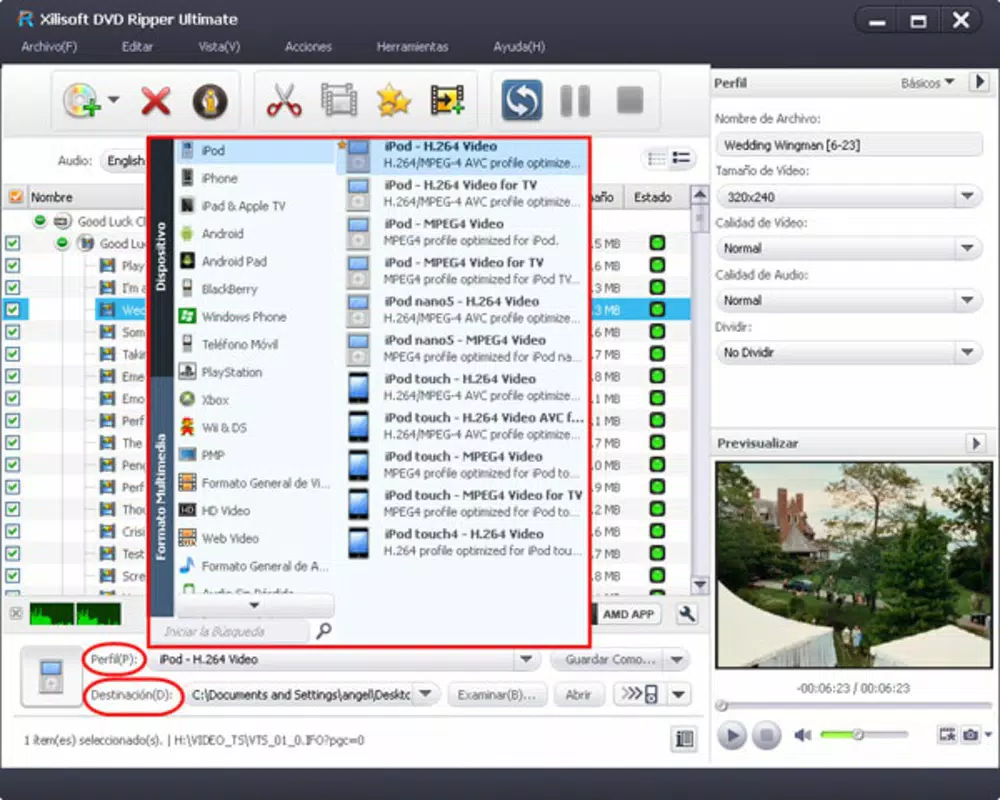
- Multiple Format Support: The software supports output in AVI, MPEG, WMV, MP4, and MOV formats, ensuring compatibility with a wide range of devices and platforms, including iPhone, iPod, iPad, Android, and general computer systems.
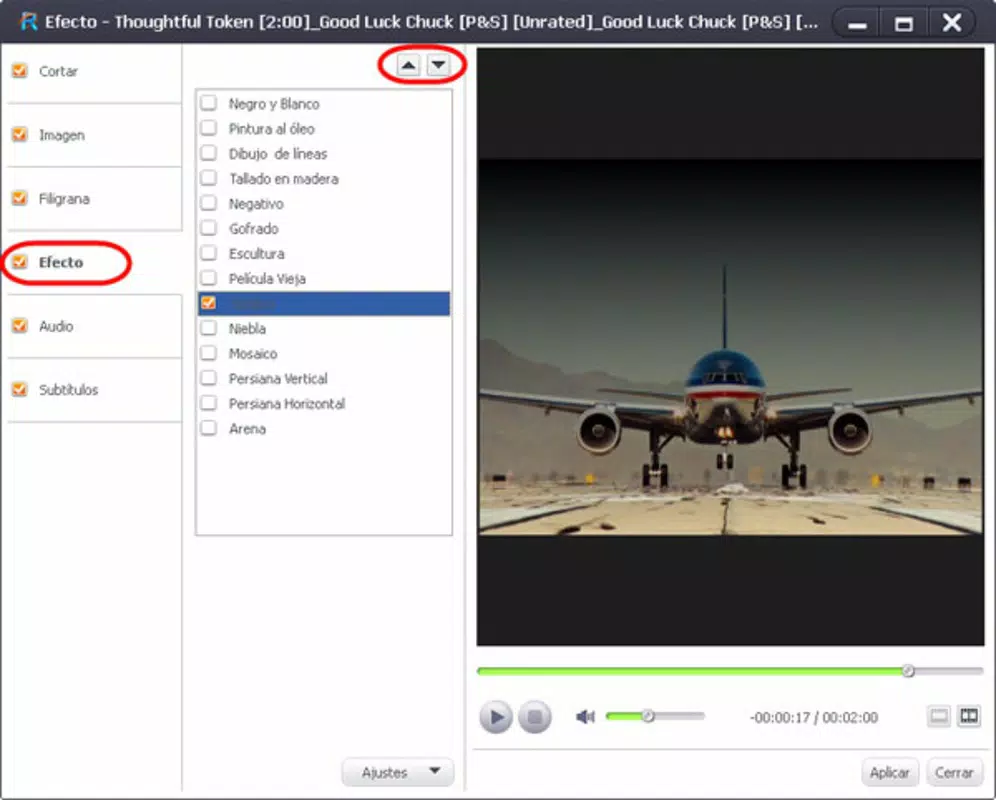
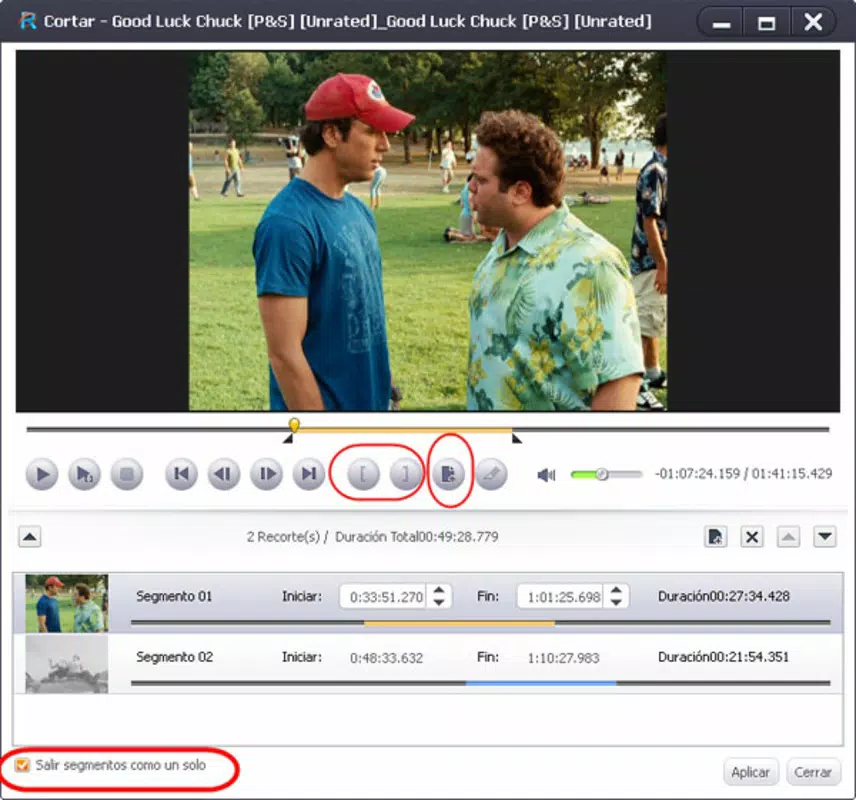
- Advanced Video Editing: Users can cut, split, and merge video segments to create custom compilations. Features such as cropping and resizing allow for precise adjustments to fit specific screen dimensions or remove unwanted areas.
- Subtitle Integration: The app enables seamless addition of external subtitle files, enhancing accessibility for foreign language films or improving comprehension for viewers with hearing impairments.
- User-Friendly Interface: Designed with intuitive navigation, the interface allows both beginners and experienced users to perform complex tasks without a steep learning curve.
- Customizable Output Settings: Users can manually adjust video quality, resolution, bit rate, and frame rate, enabling optimization for storage efficiency or playback performance based on device capabilities.
For example, a user can rip a full-length movie to MP4 format at 720p resolution with a low bit rate for efficient storage on a smartphone, or convert a DVD to high-quality AVI for archival purposes. The editing tools allow for trimming lengthy scenes or combining multiple episodes into a single file for easier management.
Interface, UX & Performance
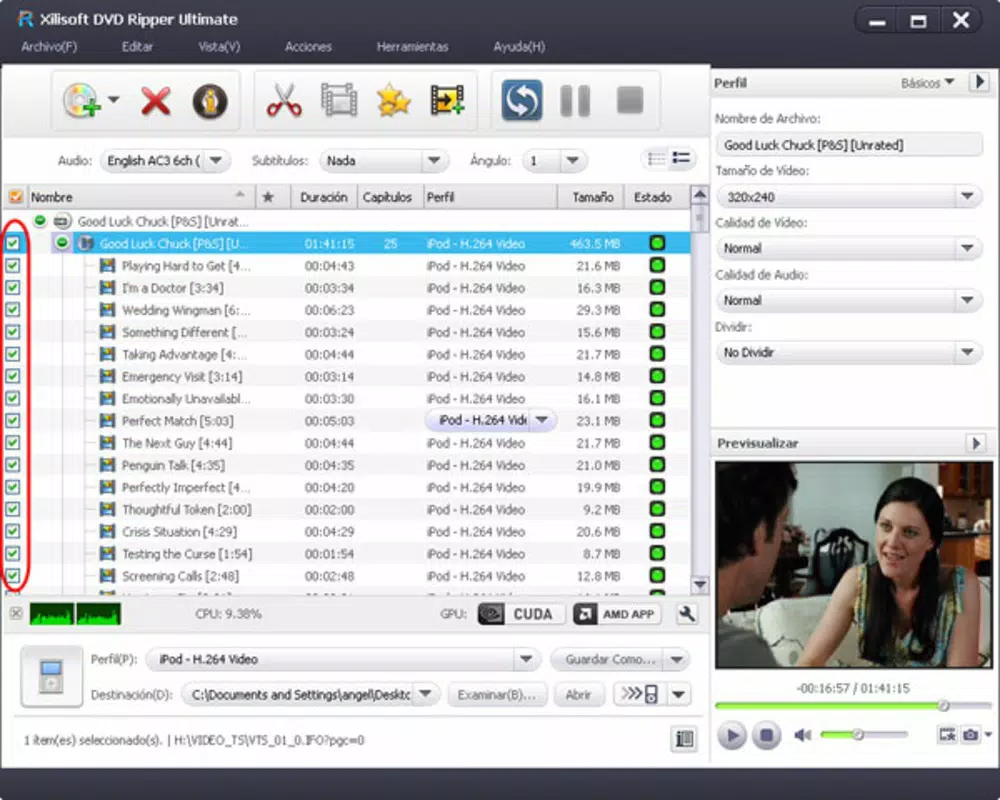
The interface of Xilisoft DVD Ripper Ultimate 7 is structured around a clean, task-oriented layout with clearly labeled buttons and menus. Navigation is linear, guiding users through the process of loading a DVD, selecting output settings, and initiating conversion. The visual style is functional, prioritizing usability over aesthetic flair, which is appropriate for a utility-focused application.
Users can expect a straightforward workflow: insert a DVD, select the desired output format and settings, apply edits if needed, and start the conversion. The software maintains consistent responsiveness during processing, although performance may vary depending on the user’s system specifications. Although the developer did not list formal performance metrics, the software appears stable for standard DVD ripping tasks.
Responsiveness is generally reliable, with minimal lag during interface interactions. Stability is maintained across multiple conversion sessions, and the app does not exhibit frequent crashes or freezes. However, specific performance data for different device categories or system configurations was not disclosed.
Platform Compatibility & Technical Requirements
Xilisoft DVD Ripper Ultimate 7 is designed for the Windows operating system, with a software version of 7.8.22 and a file size of 33.7 MB. The app is compatible with various Windows platforms, though specific minimum OS requirements were not listed by the developer. Users should ensure their system meets general Windows compatibility standards for running multimedia applications.
Given its relatively small file size, the software is likely to install and operate efficiently on systems with moderate hardware specifications. However, the developer did not specify exact requirements such as RAM, processor speed, or disk space beyond the total file size. Compatibility with newer Windows versions was not confirmed, so users should verify system compatibility before installation.
Pros and Cons
Pros
- Supports multiple output formats including MP4, AVI, MOV, WMV, and MPEG for broad device compatibility.
- Offers advanced video editing tools such as cutting, splitting, merging, cropping, and resizing.
- Allows integration of external subtitle files for enhanced accessibility and viewing experience.
- Features an intuitive interface suitable for users of all technical skill levels.
- Provides customizable output settings for optimizing file quality and size.
Cons
- Not available for mobile platforms such as Android or iOS; limited to Windows only.
- Release date is from 2012, which may raise concerns about compatibility with modern operating systems.
- Developer did not provide detailed technical specifications or system requirements.
- Limited support for newer video codecs or high-resolution formats like 4K.
- Price point of $39.95 may be considered high for a software with a long release history.
FAQ
Is Xilisoft DVD Ripper Ultimate 7 safe to download and install?
Yes, the software is designed for Windows and can be safely installed on compatible systems. Users should download from official sources to avoid third-party modifications.
Can I use this app to rip DVDs to my iPhone or iPad?
Yes, the software supports output formats like MP4, which are compatible with iPhone and iPad devices, making it suitable for mobile playback.
Does the app support subtitles?
Yes, Xilisoft DVD Ripper Ultimate 7 allows users to add external subtitle files to their converted videos.
Is the software updated regularly?
The app was released in 2012, and no information about updates or ongoing support was provided by the developer.
What devices can I play the converted videos on?
Converted videos can be played on computers, smartphones (including Android and iOS), tablets, portable media players, and other devices that support standard video formats like MP4, AVI, and MOV.
Final Thoughts
Xilisoft DVD Ripper Ultimate 7 remains a functional tool for users who need to convert DVDs into digital formats for modern playback. Its support for multiple output formats, built-in editing features, and subtitle integration provide practical value for home media management. While its age and lack of recent updates may raise compatibility concerns, it continues to serve its core purpose effectively for Windows users with DVD collections.
Those who prioritize compatibility with older systems or require a straightforward, no-frills video conversion utility may find this app worthwhile. However, users seeking modern features, high-resolution support, or mobile compatibility should consider alternatives.
Download Xilisoft DVD Ripper Ultimate 7 now


